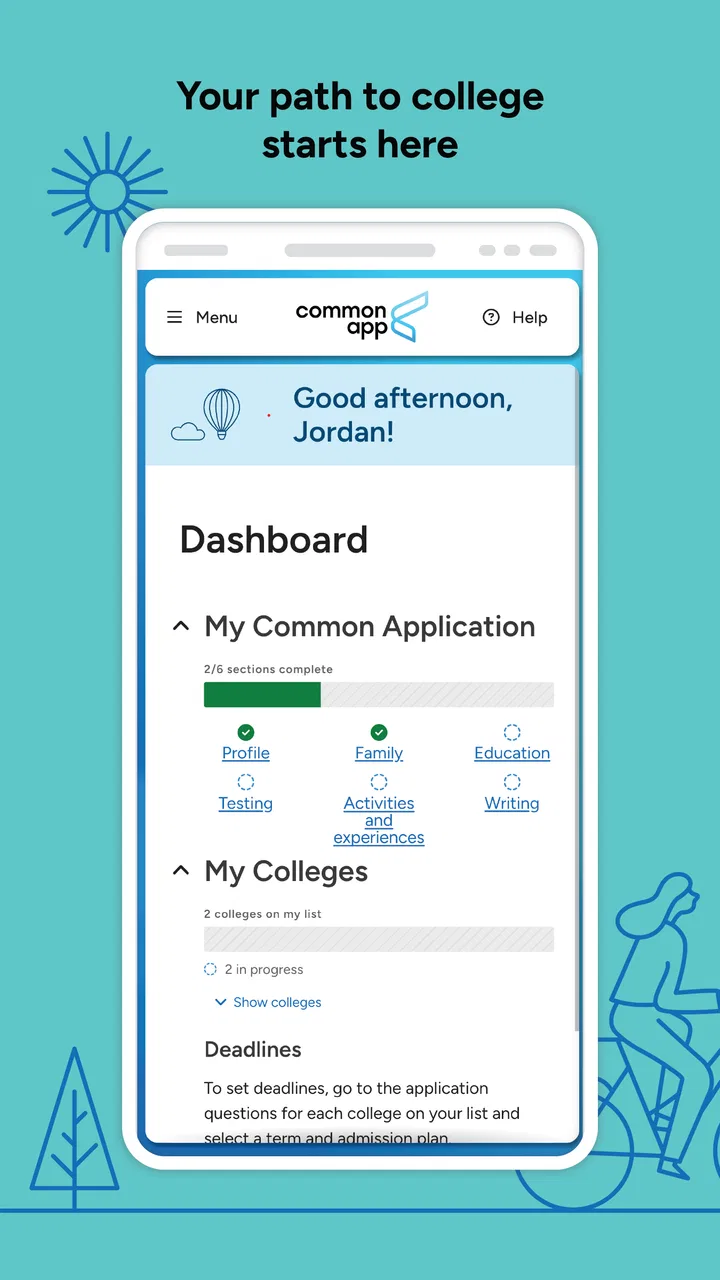
Common App
- 3.3
- Rating
- 1.00M
- Installs
- Free
- Price

 Analysis by App-foxy
Applying to college is rarely stressful because of one single form. The difficult part is keeping personal details, school information, deadlines, essays, and submission decisions organized while several institutions ask for related information in slightly different ways. Common App is built to bring much of that work into one place, and after spending time with it, I see why it remains useful even though the experience is not completely friction-free.
This is a free education app from The Common Application, aimed at students working through the college application process. It is available for Everyone, supports devices running Android 6.0 or later, and its current version is 2.5. The app has passed the one-million-install mark, with an average rating of 3.3 from roughly one thousand ratings, so its reach is substantial while user satisfaction appears mixed rather than universally enthusiastic.
How Common App feels during real application work
I focus on the moments when an application moves from preparation to action: deciding what is ready, what still needs checking, and what should stay in a separate draft until it is settled. That distinction matters more than speed when personal details and essays are involved. From there, I look at how visible choices and account habits can help keep the process under the student’s control.
You May Also Like

 Blood Strike: 2.5 Anniversary
Blood Strike’s Loadouts Turn Every Drop Into a Tactical Gamble
A close look at Blood Strike’s custom loadouts: how fast access to signature weapons reshapes its battle royale rhythm, rewards preparation, and narrows the gap between fights.

 Pandora - Music & Podcasts
Pandora’s Music Is Easy to Start, but Harder to Recover
Pandora’s strength is its low-effort path from a seed to a station. Its weak spot is how much confidence it asks you to place in connection, setup, and quiet recovery.

 8 Ball Pool
 Is Built on Rivalries, Rematches, and Routine
A close look at the rivalries, rematches, shared routines, and unanswered safety questions that turn a quick pool match into a persistent mobile community.

 Samsung Music
’s Quiet Strength Is Playing What You Already Own
Its reach comes less from spectacle than from dependable access to a personal library. That simplicity is both the app’s strongest retention engine and its ceiling.

 AccuWeather: Weather Radar
AccuWeather Review: A Quick, Clear Forecast for Everyday Decisions
For everyday plans, the best forecast is the one you can understand quickly. AccuWeather makes rain timing, radar, and local conditions easy to act on, with a few trade-offs.

 Hill Climb Racing
Why Hill Climb Racing Still Turns Crashes Into One More Run
A tiny car, a bumpy hill and one more upgrade: Hill Climb Racing keeps resurfacing because its simple chaos makes every near-miss feel personal.
More From Our News Desk



A practical starting point, not a complete college-planning system
The most useful way to understand Common App is as a central application workspace. It can help you approach participating colleges through a shared process instead of repeatedly beginning from scratch on every institution’s website. That does not remove the need to research schools, check requirements, or make thoughtful decisions, but it can reduce the amount of repetitive administration around those decisions.
I would not treat it as a replacement for a calendar, a notes app, or direct communication with a school counselor. Its value is narrower and more concrete: it gives the application journey a recognizable home. For a student who is applying to several colleges, that centralization can make the process feel less scattered. For someone applying to one college with a very simple process, the separate institutional website may be quicker.
The app is also better suited to deliberate work than casual browsing. You are not opening it for entertainment or a quick five-minute task. The important work involves reviewing information carefully, entering personal details accurately, and returning to unfinished sections without losing track of what still needs attention. That makes organization more important than visual excitement.
Speed expectations: where patience matters
My performance expectations for Common App are modest but reasonable. The app is a focused education tool rather than a graphics-heavy game, so I would expect ordinary screens and text-based sections to feel relatively light on a modern phone. The more meaningful question is not whether it performs spectacularly, but whether it lets you move through application tasks without adding unnecessary uncertainty.
In normal use, the best experience comes from opening it with a specific goal: review a section, check an application item, or continue work already started. That approach also makes it easier to notice whether something has actually been saved or completed. I would avoid tapping rapidly through screens just to finish quickly, because application software rewards careful confirmation more than speed.
Older compatible phones deserve a more cautious expectation. Android 6.0 support makes the app available to a broad range of devices, but compatibility does not guarantee the same smoothness on every handset. A phone with limited free storage, an aging battery, or many background processes may make any account-based education app feel less responsive. That is not a reason to avoid it, but it is a reason to keep the device tidy before beginning important work.
Heavy-use moments are about concentration, not graphics
The demanding moments here are likely to come from the user’s workload rather than from visual processing. A student may spend a long session moving between personal information, school-related details, and written responses. Even if the app itself is not resource-intensive, the mental load is high, and small interruptions can become costly when you are trying to preserve accurate wording or remember what remains unfinished.
I recommend splitting large sessions into narrow tasks. First review the information already entered. Then work on one written response or one group of details. Finally, pause to check the state of the application before leaving. This workflow is more reliable than trying to complete everything in one sitting, especially on a phone where switching between documents and the app can be awkward.
A realistic example would be a student commuting home after school with fifteen minutes available. Rather than attempting an entire application, they could use that short period to inspect a section, note missing information, and prepare the next task. Later, at home, they could do the longer writing session on a larger screen if available. Common App works best as the place that keeps the process connected, not necessarily as the only tool used for every part of it.
Reliability depends on your habits as much as the app
Application software deserves a higher standard of care than an ordinary social app because mistakes can affect real deadlines. I would not rely on memory alone to judge whether a section is finished. After making an important change, I would revisit the relevant area, look for the app’s completion state, and keep my own written checklist of remaining work. That extra minute is worthwhile.
The app’s rating suggests that the experience is not perfect for everyone. A 3.3 average is neither a disaster nor a strong signal of universal smoothness. I read it as a reminder to build a backup routine. Keep copies of important essay drafts outside the app, record deadlines in a separate calendar, and avoid making the final submission decision while distracted or rushing.
This is not unnecessary duplication. A college application contains information that should not exist in only one mobile interface. A separate document gives you a safer place to edit longer writing, while a calendar protects you from confusing an application being prepared with one that has actually been submitted. Common App can organize the process, but it should not be your only record of the process.
What to do when a session is interrupted
Recovery is one of the most important practical concerns for a form-based app. Phones lose connectivity, operating systems close background apps, and users accidentally leave a screen. My advice is simple: after returning, do not immediately assume that the last action succeeded. Check the relevant section and confirm its current state before continuing.
If you are working on a long answer, draft it elsewhere first and paste or transfer it only after the wording is settled. That protects you from losing a carefully written response during an interruption and makes revision easier. It also lets you compare versions without repeatedly editing inside a small phone interface.
When the app feels slow or behaves unexpectedly, I would first close unrelated apps, check the connection, and reopen Common App calmly. If the issue affects a time-sensitive submission, use the official support route or the institution’s own guidance rather than repeatedly guessing. The important point is to separate a temporary session problem from the much bigger question of whether an application was actually completed.
Device constraints and the case for using more than one screen
Common App is convenient on a phone because a phone is usually nearby, but convenience is not the same as comfort. Reading instructions, comparing requirements, and editing an extended response can be tiring on a small display. Students with access to a tablet or computer may prefer to reserve the phone for checking progress and use the larger screen for careful review.
That mixed-device approach is one of my strongest recommendations. Use the mobile app for short, controlled tasks, reminders to yourself, and checking what still needs attention. Use a larger device for writing, proofreading, and comparing information. This reduces the chance of overlooking a small detail simply because the screen encourages quick scrolling.
Storage and battery are also worth considering on older devices. The app itself is not the kind of software I would expect to dominate a phone’s resources, but a nearly full device can make ordinary applications less pleasant. Before a major application session, freeing some storage, charging the phone, and closing unnecessary background activity is sensible preparation.
Privacy and concentration matter too. Entering personal and academic information in a crowded place can be uncomfortable, and public Wi-Fi is not the setting I would choose for an important final step. I prefer doing sensitive work in a quiet, trusted environment, then using the phone later for a quick progress check.
Three workflows that make the app more useful
First, create a master checklist outside Common App. Divide it into personal information, school information, written work, recommendations or counselor-related tasks, and final review. The app can hold the application itself, but your checklist should show the whole project, including tasks that depend on other people.
Second, prepare a “source of truth” document before entering repeated details. Keep names, addresses, school information, dates, and carefully checked spellings in one private document. This reduces inconsistent typing across sessions and makes it easier to spot an accidental change. It also helps a parent or counselor review factual details without needing to navigate your entire application.
Third, use a deliberate pause before submission. Read the application as if you were seeing it for the first time, inspect each major area, and confirm that the version you intend to send is the version currently present. The ability to gather work in one place is valuable, but centralization can create false confidence if you assume every section is automatically final.
Where it compares well with the usual alternatives
The obvious alternative is applying separately through each college’s own website. That route may be preferable when a school has a distinctive process, when you are applying to only one institution, or when the institution’s portal provides more direct status information. Separate portals can also feel clearer after submission because they are designed around one school rather than a collection of schools.
Common App’s advantage is the shared structure. Instead of learning a completely different starting point each time, you can build familiarity with one central application environment. That is especially helpful for students applying to multiple participating colleges and for families trying to understand the overall progress of several applications.
A second alternative is using a browser on a laptop. I generally prefer the browser for long writing and detailed review because a keyboard and larger display make those tasks less tiring. The mobile app wins on availability: it lets you check in without sitting at a desk. In my view, the strongest setup is not choosing one forever, but giving each format the job it handles best.
A third alternative is managing everything through notes, spreadsheets, and email. Those tools are excellent for planning, but they do not replace the application environment. They can track deadlines and drafts, yet they cannot serve as the actual submission workspace. Common App is most useful when paired with those tools, not when asked to replace them.
Who should use it, and who should skip it
I would recommend Common App to students applying to several colleges that use its process, particularly those who want one central place to organize application work. It is also useful for families who need a shared understanding of what has been started and what still requires attention, provided the student remains in control of the account and final decisions.
I would be less enthusiastic for a student applying to one college with a straightforward direct application. In that situation, the institution’s own website may involve fewer moving parts. I would also not recommend treating this app as a complete counseling service, a college-comparison database, or a substitute for reading each school’s requirements. Its strength is application organization, not making the decision for you.
Students who dislike typing on a phone should not force themselves to do major writing there. Drafting in a comfortable editor and using Common App for the structured application work is a better trade-off. Likewise, anyone with an older or unreliable phone should plan access to a larger or more stable device before approaching a deadline.
My performance verdict
Common App is a practical free education app with a clear purpose: helping students manage a shared college application path from a mobile device. Its broad availability and one-million-plus installs show that it is a familiar tool, while the middle-of-the-road rating tells me to approach it with realistic expectations rather than blind confidence.
In my experience, its perceived speed matters less than disciplined use. Keep sessions focused, save important writing elsewhere, verify progress after interruptions, and use a larger screen for demanding review whenever possible. Those habits compensate for the limitations of mobile form work and make the app feel more dependable.
The main trade-off is convenience versus control. Common App can reduce repetition and give your application process a central home, but you still need your own checklist, backups, deadline calendar, and careful final review. If you understand that boundary, I think it is worth installing for the right applicant. If you want a complete college-planning system or a polished replacement for every school portal, I would choose additional tools instead.
My final recommendation is therefore positive but specific: Common App is best used as the organized middle layer between your preparation and the colleges themselves. It will not remove the work, and it should not be your only record, but it can make a complicated application season easier to navigate when you use it deliberately.
FAQs for Common App
01What is Common App used for?
Common App is an online college application platform that allows students to apply to multiple participating universities and colleges using one main application. It helps organize personal information, academic history, activities, essays, recommendations, and application requirements in one place, although each institution may still request additional questions, documents, or fees before an application is complete.
02Is Common App free to download and use?
The Common App platform itself is free to create an account and begin completing your application. However, some colleges charge application fees, and those costs are determined by each institution rather than Common App. Eligible students may request fee waivers, but they must meet the applicable requirements and complete the waiver information requested during the application process.
03Can I apply to several colleges through Common App?
Yes, Common App is designed to let students apply to multiple participating colleges from a single account. You can add schools to your college list, review their individual deadlines and requirements, and submit applications separately. Keep in mind that every college has its own policies, supplement questions, testing rules, and deadlines, so submitting one application does not automatically complete every requirement.
04What information and documents are needed for a Common App application?
Applicants usually need personal and family details, school information, grades, coursework, extracurricular activities, honors, and a personal essay. Depending on the colleges selected, you may also need recommendation letters, counselor forms, transcripts, test scores, portfolios, or additional essays. It is best to prepare this information early and confirm each college’s requirements directly inside the application.
05Does Common App guarantee admission to a college?
No. Common App only provides the application service and does not influence admission decisions. Each college independently reviews applications according to its own criteria, including academic performance, activities, essays, recommendations, and institutional priorities. Completing an application through Common App does not guarantee acceptance, financial aid, or even consideration if required materials are missing or submitted after the deadline.
Pros
- Combines school news
- calendars
- grades
- and messages in one place.
- Push notifications help families stay updated on important school announcements.
- Supports direct communication between parents
- students
- and teachers.
- Useful calendar tools make it easier to track events and deadlines.
- Available on both Android and iOS devices.
Cons
- Some features depend on the school’s Common App setup and enabled services.
- Notification settings may require adjustment to avoid receiving too many alerts.
- Login or account issues can be difficult to resolve without school support.
- The interface may feel crowded when many school tools are enabled.
- Performance and available features can vary between schools and regions.

Common App
Gallery